AR Product Visualization: Choose Between AR, 3D and Photo Previews
TL;DR: AR product visualization overlays a digital product representation onto a view of the physical environment to explore placement or appearance. Identify the buyer uncertainty. AR is not inherently better than 3D or photo previews for every customer decision.
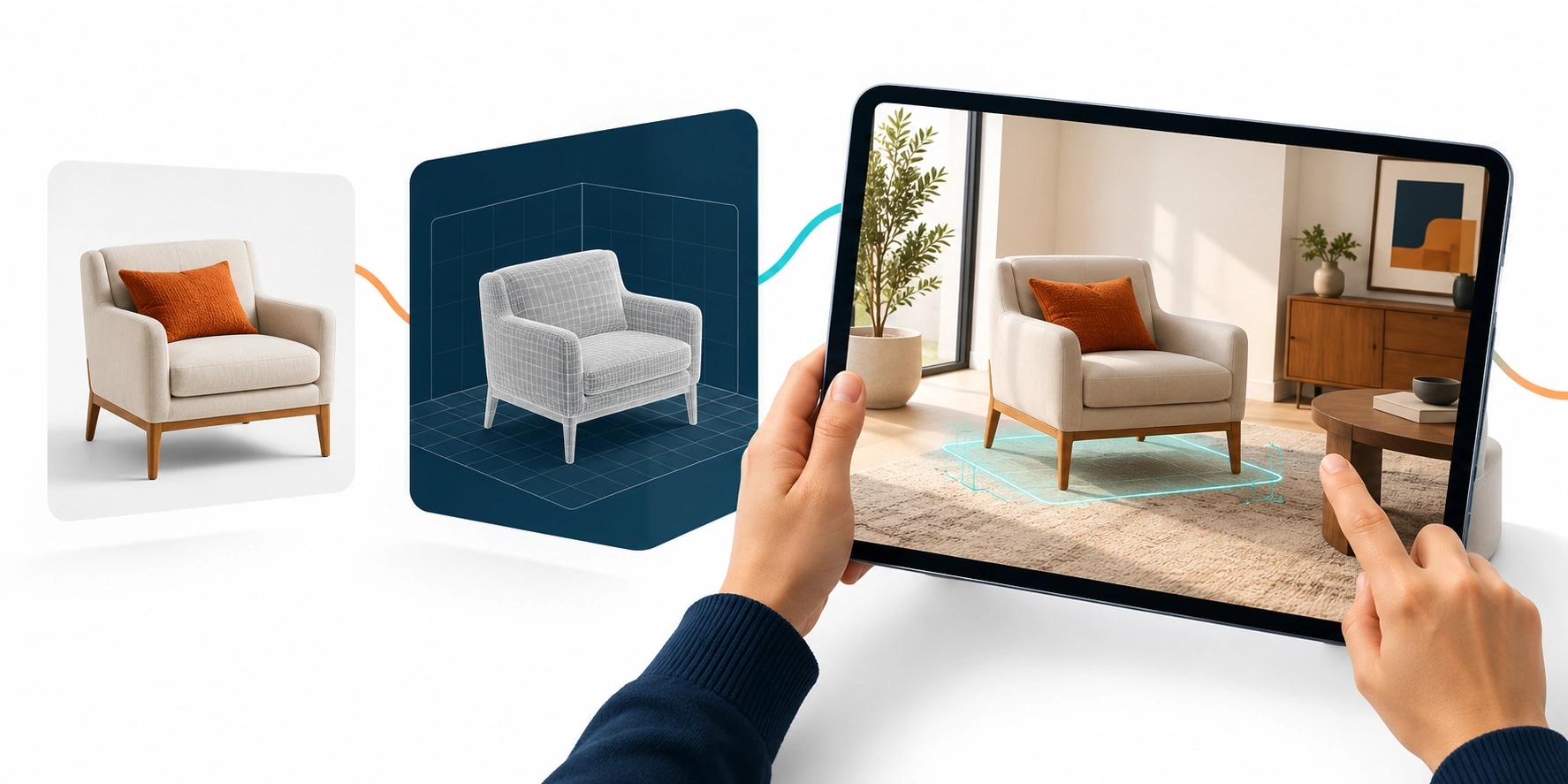
Original AI-generated editorial illustration; it depicts a concept rather than a client deployment or product screenshot.
Introduction
AR helps when the buyer needs to understand an object in a real space. A controlled 3D room may be better for comparing finishes. Choose the format around customer uncertainty and device conditions rather than assuming the most immersive demonstration will provide the most useful buying experience. Here is how to evaluate AR product visualization against that business need.
What Is AR product visualization?
AR product visualization overlays a digital product representation onto a view of the physical environment to explore placement or appearance.
Placement and finish comparison are different questions. Tracking and device support affect usability. Previews can be mistaken for specifications.
AR is not inherently better than 3D or photo previews for every customer decision. The scope should make this distinction clear before the team commits to a solution.
Technical context: Apple documents tools for placing and rendering digital objects in AR experiences. Apple Developer: Augmented reality
Why AR product visualization Matters
- Placement and finish comparison are different questions.
- Tracking and device support affect usability.
- Previews can be mistaken for specifications.
How to Evaluate and Implement AR product visualization
Match format to the question
Use AR for placement within a customer's environment. Consider prepared 3D for stable material comparisons and photo previews for changing a visible surface. Write the buyer question before selecting the renderer. A simpler view may answer it with less friction. Avoid building several visual modes before validating the core decision journey.
Plan devices, assets and fallbacks
Audit target browsers and hardware. Prepare correctly scaled assets and understandable placement feedback. Test dim rooms, reflective surfaces and interrupted sessions. Provide a normal product view if tracking or device support fails. A fallback should preserve the selection and next action rather than end the visit with a technical error.
Distinguish preview from specification
Explain limits involving lighting, scale estimation and rendered materials. Obtain required measurements through a defined process. Save the selected product separately from an illustrative screenshot. Link the preview to a sample or enquiry using valid identifiers. Judge the feature by whether it resolves the customer's question, not simply by whether the object appears convincingly on a screen.
Compare the available approaches
| Approach | Suitable starting point | Main limitation or responsibility |
|---|---|---|
| AR | Personal-space placement | Tracking and scale limits |
| 3D scene | Controlled configurations | Asset maintenance |
| Photo preview | Existing room surfaces | Segmentation limitations |
A practical example
A hypothetical furniture supplier compares AR placement with a room configurator. Placement tests focus on footprint and positioning; configurator tests focus on finishes. Both preserve product codes and include ordinary photography as a fallback. The supplier chooses using customer task evidence and maintenance requirements, rather than initial reactions to the demo.
An acceptance test worth running
Attempt placement in a dim room on a supported device, then open the same product on an unsupported device. Check instructions, recovery and the fallback view. Confirm that the selection and product identifier survive the change of mode. Ask users what the preview tells them about scale and finish; revise wording if they infer a measurement guarantee that the experience cannot provide.
What to measure
Measure successful placement, comparisons, fallback use and product shortlist completion.
Use a representative baseline and record the conditions of the comparison. Agree who reviews failures and what evidence is needed before expanding the scope. For a broader view of the related delivery work, explore Webbies services.
Practical Steps for AR product visualization
- Identify the buyer uncertainty.
- Compare formats on target devices.
- Prepare assets and useful fallback behaviour.
- Connect a saved selection to product enquiries.
Prepare a useful project brief
| Decision | What to establish |
|---|---|
| Audience | digital teams choosing visual shopping tools |
| First boundary to agree | Identify the buyer uncertainty. |
| Evidence of useful performance | Measure successful placement, comparisons, fallback use and product shortlist completion. |
| Estimate dependency | Asset readiness, tracking requirements, device coverage and catalogue integration determine scope. |
Bring sample inputs and an example of an exception to the first discussion. Separate confirmed requirements from assumptions, and identify who can supply missing information. The brief should let a delivery team explain what it needs to investigate before making a detailed commitment.
Common Mistakes to Avoid
- Treating AR as certified measurement.
- Ignoring unsupported devices.
- Adding interaction unrelated to the decision.
Frequently Asked Questions
What does AR product visualization mean in a business project?
AR product visualization overlays a digital product representation onto a view of the physical environment to explore placement or appearance.
How should a team begin evaluating AR vs 3D product preview?
Identify the buyer uncertainty. Compare formats on target devices.
How do we measure whether augmented reality product experience is useful?
Measure successful placement, comparisons, fallback use and product shortlist completion.
What affects the cost or timeline of AR product visualization?
Asset readiness, tracking requirements, device coverage and catalogue integration determine scope. A delivery estimate should follow a review of these dependencies.
What is a common misconception about AR product visualization?
AR is not inherently better than 3D or photo previews for every customer decision.
Conclusion
Choose AR, 3D or photo previews around the buyer's uncertainty. Device coverage, clear limits and a usable fallback matter as much as visual impact. Choose a product-preview format with Webbies.
Sources and further reading
- Apple Developer: Augmented reality — primary technical reference, checked during research on 30 October 2026.
Discuss your project
Choose a product-preview format. Share the current workflow, intended users, existing systems and the decision you need to make; the next step can be a 20–30 minute discovery discussion.