AI Paint Visualizer: Plan a Useful Room Preview Experience
TL;DR: An AI paint visualizer identifies paintable areas in an image and generates previews of selected colours within the scene. Define surfaces and supported image conditions. A convincing screen preview is not a calibrated specification of a finished painted surface.
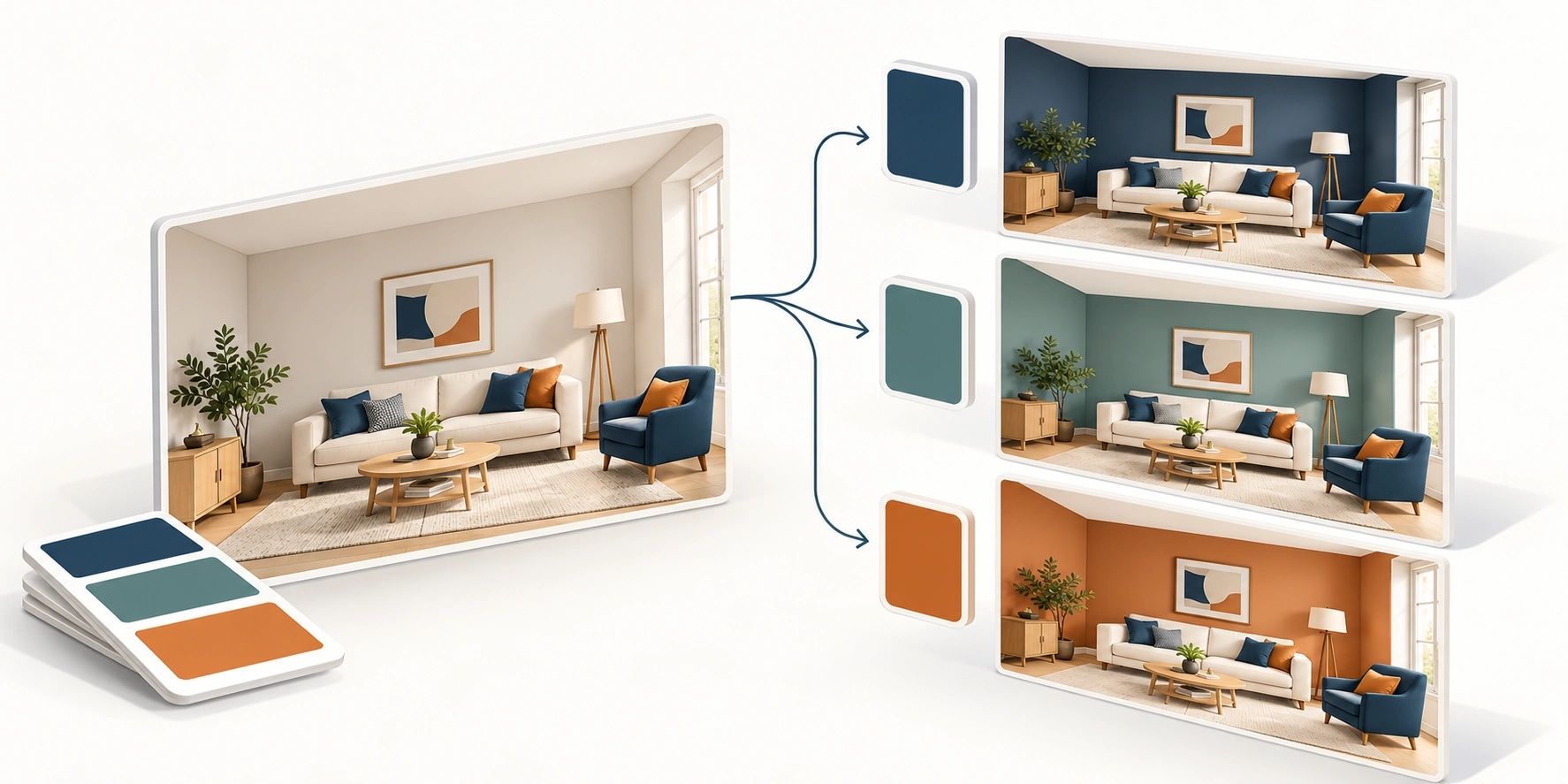
Original AI-generated editorial illustration; it depicts a concept rather than a client deployment or product screenshot.
Introduction
A small swatch asks a customer to imagine an entire wall. A room preview can make that choice easier, provided it preserves the scene and explains its limitations. The useful journey leads from inspiration to a maintained shade reference or a physical sample request. Here is how to evaluate AI paint visualizer against that business need.
What Is AI paint visualizer?
An AI paint visualizer identifies paintable areas in an image and generates previews of selected colours within the scene.
Customers compare shades in room context. Furniture and shadows need to remain recognisable. A shortlist must connect to actual products.
A convincing screen preview is not a calibrated specification of a finished painted surface. The scope should make this distinction clear before the team commits to a solution.
Technical context: The W3C specification defines colour representations and conversions used in web rendering. W3C: CSS Color Level 4 candidate recommendation draft
Why AI paint visualizer Matters
- Customers compare shades in room context.
- Furniture and shadows need to remain recognisable.
- A shortlist must connect to actual products.
How to Evaluate and Implement AI paint visualizer
Preserve the original scene
Define the surfaces that may change and the details that must remain. Test boundaries around windows, trim and foreground objects. Provide manual correction when segmentation fails. Changing furniture or lighting alongside the paint weakens the comparison. Use ordinary customer photographs with clutter and uneven illumination rather than only prepared showroom images.
Connect colour to catalogue
Map every shade to a maintained identifier. Keep finish, suitability and availability separate from rendered appearance. Save product references alongside the image so a dealer can recover the shortlist. Support comparison with the original room and between a manageable set of alternatives. The next action should be a useful sample request or consultation, not an image download with no product context.
Explain visual limitations
Camera settings, lighting and screens change perceived colour. Present previews as exploration aids and recommend a physical sample for a final choice. Do not promise exact colour reproduction. Evaluate boundary quality and scene preservation separately from aesthetic appeal. If generative methods are used, test whether they alter room geometry or add materials the user never requested.
Compare the available approaches
| Approach | Suitable starting point | Main limitation or responsibility |
|---|---|---|
| Swatch | Quick browsing | Little room context |
| Photo preview | Customer's room | Image and segmentation limits |
| Prepared 3D | Controlled comparison | Generic room geometry |
A practical example
A hypothetical coatings brand begins with room upload, wall correction and three-shade comparison. Saved selections retain catalogue codes and a sample-request route. Exteriors and decorative finishes are separate later scopes. The focused release tests a useful shortlist journey without promising a complete design service or a measured conversion improvement.
An acceptance test worth running
Use a cluttered room photograph with a doorway, wall art and uneven light. Change one wall shade, correct a boundary manually and compare with the original. The furniture and room geometry should remain recognisable. Save the selection, reopen it and verify the catalogue code. Ask a dealer to use that code to complete the next sample or consultation step.
What to measure
Track uploads, correction effort, comparisons, saved shortlists and valid sample enquiries.
Use a representative baseline and record the conditions of the comparison. Agree who reviews failures and what evidence is needed before expanding the scope. For a broader view of the related delivery work, explore Webbies services.
Practical Steps for AI paint visualizer
- Define surfaces and supported image conditions.
- Test detection and manual correction.
- Link saved shades to catalogue actions.
- Check mobile performance and preview limitations.
Prepare a useful project brief
| Decision | What to establish |
|---|---|
| Audience | paint and coatings brands |
| First boundary to agree | Define surfaces and supported image conditions. |
| Evidence of useful performance | Track uploads, correction effort, comparisons, saved shortlists and valid sample enquiries. |
| Estimate dependency | Surface detection, correction tools, catalogue preparation and platform coverage determine scope. |
Bring sample inputs and an example of an exception to the first discussion. Separate confirmed requirements from assumptions, and identify who can supply missing information. The brief should let a delivery team explain what it needs to investigate before making a detailed commitment.
Common Mistakes to Avoid
- Promising exact painted colour.
- Changing scene details silently.
- Saving pixels without product codes.
Frequently Asked Questions
What does AI paint visualizer mean in a business project?
An AI paint visualizer identifies paintable areas in an image and generates previews of selected colours within the scene.
How should a team begin evaluating paint colour visualisation app?
Define surfaces and supported image conditions. Test detection and manual correction.
How do we measure whether room paint preview is useful?
Track uploads, correction effort, comparisons, saved shortlists and valid sample enquiries.
What affects the cost or timeline of AI paint visualizer?
Surface detection, correction tools, catalogue preparation and platform coverage determine scope. A delivery estimate should follow a review of these dependencies.
What is a common misconception about AI paint visualizer?
A convincing screen preview is not a calibrated specification of a finished painted surface.
Conclusion
A paint preview should help a customer explore shades without distorting the room or promising exact reproduction. Preserve product references through to the physical-sample decision. Plan a paint-visualisation experience with Webbies.
Sources and further reading
- W3C: CSS Color Level 4 candidate recommendation draft — primary technical reference, checked during research on 30 October 2026.
Discuss your project
Plan a paint-visualisation experience. Share the current workflow, intended users, existing systems and the decision you need to make; the next step can be a 20–30 minute discovery discussion.