AI Workflow Automation: Choose the Right First Process
TL;DR: AI workflow automation uses AI for selected interpretation or decision-support tasks within a defined business process and its controls. Map one process from intake to a verifiable outcome. AI is not required for every automation; a reliable rule or a simpler form can be the better investment.

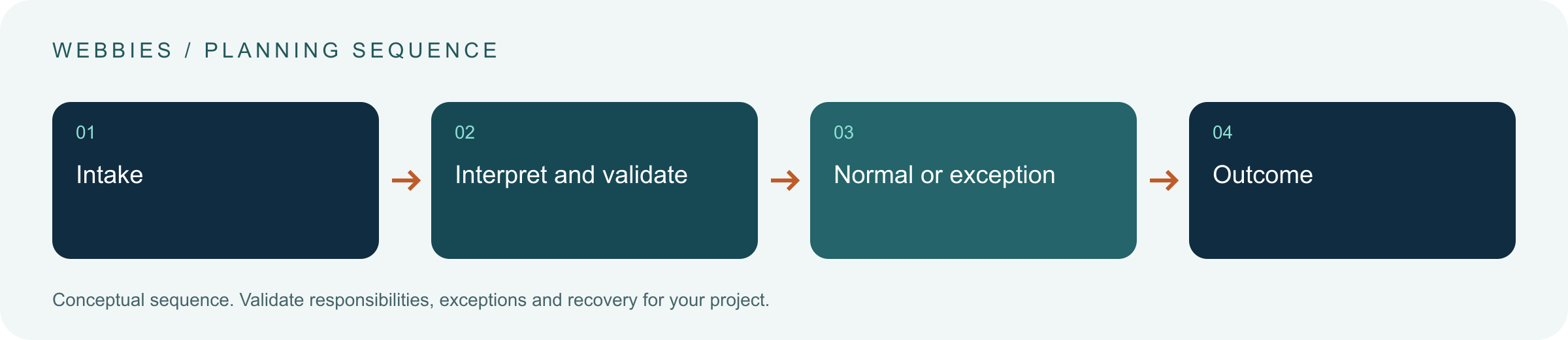
Original AI-generated editorial illustration; it depicts a concept rather than a client deployment or product screenshot.
Introduction
The best first automation is often an ordinary process with visible delays, repeatable decisions and an owner who can change it. Adding AI to a process nobody understands creates another opaque layer. Map the handoffs, exceptions and business rules before choosing a model or a workflow platform. Here is how to evaluate AI workflow automation against that business need.
What Is AI workflow automation?
AI workflow automation uses AI for selected interpretation or decision-support tasks within a defined business process and its controls.
Repetitive handling can conceal a large variety of exceptions. Automating the wrong handoff can create work elsewhere. Process ownership is necessary for accepting and maintaining the change.
AI is not required for every automation; a reliable rule or a simpler form can be the better investment. The scope should make this distinction clear before the team commits to a solution.
Technical context: AWS explains why retryable operations need idempotency and bounded recovery behaviour. AWS: Retry with backoff pattern
Why AI workflow automation Matters
- Repetitive handling can conceal a large variety of exceptions.
- Automating the wrong handoff can create work elsewhere.
- Process ownership is necessary for accepting and maintaining the change.
How to Evaluate and Implement AI workflow automation
Choose a process with measurable friction
Look for repeated document handling, unstructured enquiries or classification work where the current outcome can be inspected. Record how cases arrive, who works on them and where they wait. Distinguish processing time from queue time: a faster model cannot fix an approval that waits several days. Start with one team and one case type so the effect of the change is observable.
Assign rules and models different jobs
Use deterministic checks for arithmetic, required identifiers and fixed approval conditions. Use AI where language, images or variable documents need interpretation. Validate the model's output before it enters the next step. A request can be confidently categorised and still lack the information needed for execution. Preserve explicit states such as awaiting details, awaiting approval and completed so the interface reflects the actual business process.
Design exceptions as a parallel workflow
Name who receives a failed case and what evidence they need. Group exceptions by reason rather than placing every problem into one undifferentiated queue. Keep the original input, attempted operations and validation results. Review recurring failures with the process owner; some will require a better intake form or a revised business rule rather than a prompt change. Include a manual route for periods when an external service is unavailable.
Compare the available approaches
| Approach | Suitable starting point | Main limitation or responsibility |
|---|---|---|
| Rules-based automation | Structured inputs and fixed conditions | Maintain business rules |
| AI-assisted automation | Variable text, images or documents | Validate interpretation |
| Process redesign | Unclear ownership or avoidable handoffs | Change the operating procedure |
A practical example
A hypothetical building-products supplier receives quotation requests by email. AI extracts product references and quantities, while code checks catalogue identifiers and completeness. Missing measurements return to a staff queue; valid requests enter the existing quotation process. Prices still come from the authorised pricing system. The pilot targets fewer rekeying errors and clearer handoffs without giving a model authority to invent discounts or delivery commitments.
An acceptance test worth running
Send an incomplete quotation enquiry, a valid enquiry and the same valid enquiry twice. The workflow should request missing information, route the complete case correctly and avoid duplicated business work. Stop the external pricing service and confirm that a person can recover the preserved case. Measure the entire handoff rather than only the time spent interpreting the email.
What to measure
Track end-to-end completion time, rework, exception age, correction effort and verified business outcomes rather than generated outputs.
Use a representative baseline and record the conditions of the comparison. Agree who reviews failures and what evidence is needed before expanding the scope. For a broader view of the related delivery work, explore Webbies services.
Practical Steps for AI workflow automation
- Map one process from intake to a verifiable outcome.
- Baseline waiting, handling, errors and exception reasons.
- Automate a bounded step with a staffed fallback.
- Compare end-to-end outcomes before expanding to other teams.
Prepare a useful project brief
| Decision | What to establish |
|---|---|
| Audience | operations heads choosing an initial automation project |
| First boundary to agree | Map one process from intake to a verifiable outcome. |
| Evidence of useful performance | Track end-to-end completion time, rework, exception age, correction effort and verified business outcomes rather than generated outputs. |
| Estimate dependency | Input variability, system access, approval complexity and the expected manual exception load determine a useful estimate. |
Bring sample inputs and an example of an exception to the first discussion. Separate confirmed requirements from assumptions, and identify who can supply missing information. The brief should let a delivery team explain what it needs to investigate before making a detailed commitment.
Common Mistakes to Avoid
- Automating a process before identifying its owner.
- Measuring only the speed of the AI step.
- Allowing exceptions to accumulate without a review routine.
Frequently Asked Questions
What does AI workflow automation mean in a business project?
AI workflow automation uses AI for selected interpretation or decision-support tasks within a defined business process and its controls.
How should a team begin evaluating business process automation with AI?
Map one process from intake to a verifiable outcome. Baseline waiting, handling, errors and exception reasons.
How do we measure whether workflow automation roadmap is useful?
Track end-to-end completion time, rework, exception age, correction effort and verified business outcomes rather than generated outputs.
What affects the cost or timeline of AI workflow automation?
Input variability, system access, approval complexity and the expected manual exception load determine a useful estimate. A delivery estimate should follow a review of these dependencies.
What is a common misconception about AI workflow automation?
AI is not required for every automation; a reliable rule or a simpler form can be the better investment.
Conclusion
Start automation with an understood process and a staffed exception route. The right result is less end-to-end friction, not simply more model calls. Map a suitable first automation workflow with Webbies.
Sources and further reading
- AWS: Retry with backoff pattern — primary technical reference, checked during research on 30 October 2026.
Discuss your project
Map a suitable first automation workflow. Share the current workflow, intended users, existing systems and the decision you need to make; the next step can be a 20–30 minute discovery discussion.