AI Document Processing: From Invoices to Reviewable Records
TL;DR: AI document processing is the use of machine learning and language models to classify documents, extract information and route records through validation and review. Inventory document types and define required fields for each. Document automation does not require removing human review; routing the right exceptions is part of a useful system.
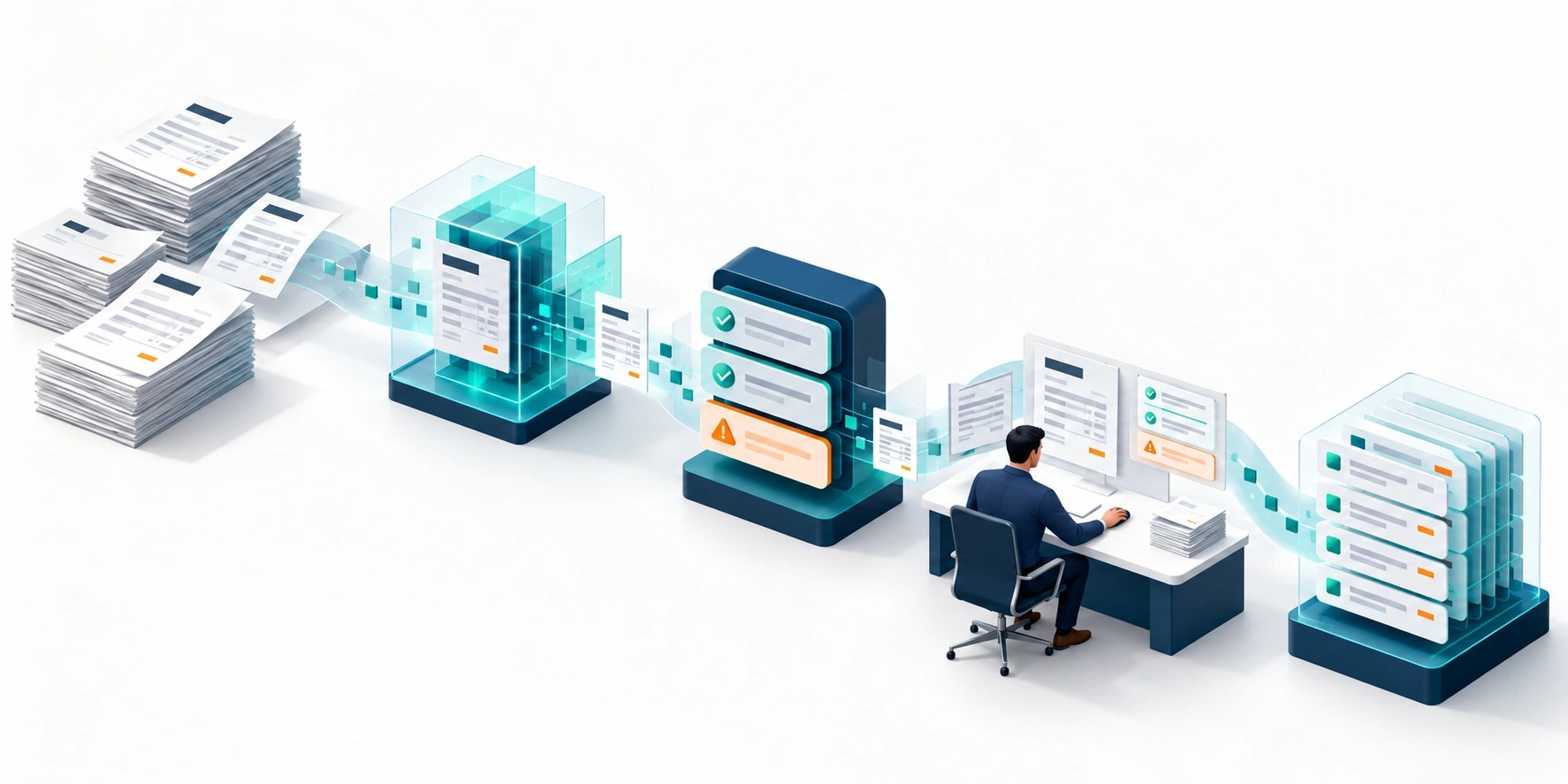
Original AI-generated editorial illustration; it depicts a concept rather than a client deployment or product screenshot.
Introduction
Copying invoice fields into another system is rarely the whole job. Staff also check the supplier, interpret tax lines, detect duplicates and decide whether the document can proceed. Automation needs to preserve those checks. Otherwise, faster extraction simply moves unreliable records into the next stage more quickly. Here is how to evaluate AI document processing against that business need.
What Is AI document processing?
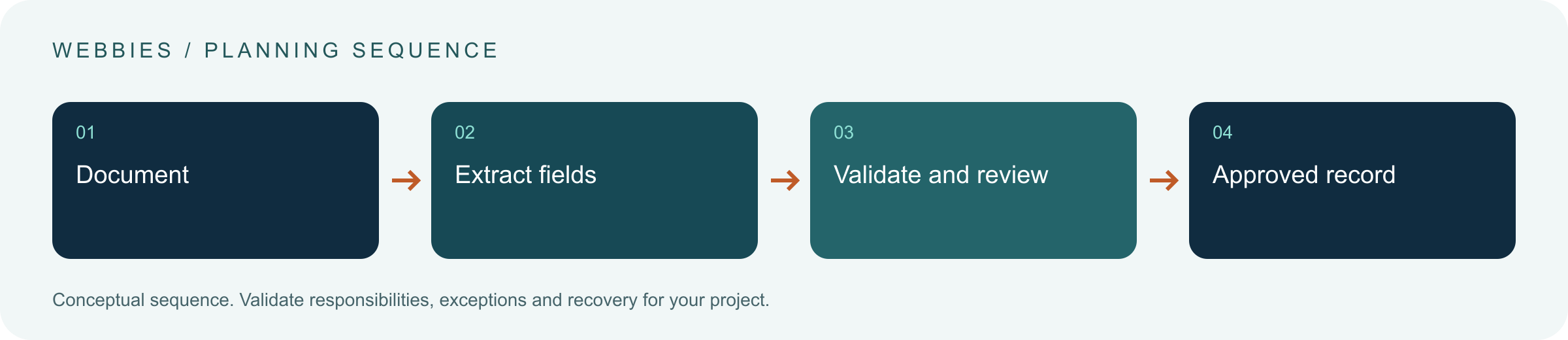
AI document processing is the use of machine learning and language models to classify documents, extract information and route records through validation and review.
Document layouts vary even when the business fields are the same. Correct-looking totals can conceal missing lines or incorrect identifiers. Downstream accounting systems need validated records and traceability.
Document automation does not require removing human review; routing the right exceptions is part of a useful system. The scope should make this distinction clear before the team commits to a solution.
Technical context: Microsoft documents extraction of text, tables and structured fields from documents. Microsoft: Document Intelligence overview
Why AI document processing Matters
- Document layouts vary even when the business fields are the same.
- Correct-looking totals can conceal missing lines or incorrect identifiers.
- Downstream accounting systems need validated records and traceability.
How to Evaluate and Implement AI document processing
Separate extraction from validation
Capture the source document, page references and extracted fields before applying business rules. Validate required values, date formats, vendor identifiers and arithmetic independently of the model. Treat a model's confidence wording as a hypothesis, not a calibrated probability. A business rule can reject an invalid record even when the text was read accurately. Conversely, a plausible total does not prove that every line item was extracted correctly.
Build the review queue deliberately
Route records by the reason for review: unreadable content, unknown supplier, duplicate candidate or inconsistent totals. Give reviewers the relevant image region next to the proposed value. Preserve their correction and reason so recurring error types can be investigated. Avoid making staff recheck every field when one exception triggered the queue. The interface should reduce the effort required to approve or reject a record while maintaining the evidence.
Control the handoff into business systems
Use stable document and transaction identifiers so retries do not create duplicate invoices. Save the approved record and integration result separately. If the destination is unavailable, retain a pending state and reconcile it later. Keep a documented retention policy for originals, extracted data and logs. Before deploying, test multipart files, credit notes, duplicate uploads and partially completed transfers, rather than assuming every upload is a new payable invoice.
Compare the available approaches
| Approach | Suitable starting point | Main limitation or responsibility |
|---|---|---|
| OCR | Read printed or scanned characters | Does not establish business correctness |
| AI extraction | Map variable layouts to fields | Needs field-level validation |
| Workflow automation | Route approved records into systems | Needs idempotency and reconciliation |
A practical example
In a hypothetical wholesaler, emailed invoices enter a controlled inbox. The service extracts supplier details and amounts, checks them against vendor records, then flags an unexpected bank-account change for separate review. A reviewer sees the original page and the proposed fields before an approved record enters the ERP. The model does not authorise payment. The separation makes it easier to identify whether a failure came from reading, business validation or integration.
An acceptance test worth running
Upload the same invoice twice, interrupt transfer after destination creation and submit a credit note resembling an invoice. Check that the application preserves each source, prevents duplicate accounting records and routes the credit correctly. Give the reviewer a deliberately inconsistent total and confirm that the validation reason is visible beside the document rather than hidden in a technical log.
What to measure
Measure accuracy by field, exception rate, reviewer correction time, duplicate prevention and successful downstream record creation.
Use a representative baseline and record the conditions of the comparison. Agree who reviews failures and what evidence is needed before expanding the scope. For a broader view of the related delivery work, explore Webbies services.
Practical Steps for AI document processing
- Inventory document types and define required fields for each.
- Prepare a labelled sample including scans, corrections and duplicates.
- Implement business validation and a reason-based review queue.
- Test destination failures and duplicate delivery before a controlled rollout.
Prepare a useful project brief
| Decision | What to establish |
|---|---|
| Audience | finance and operations teams handling document-heavy processes |
| First boundary to agree | Inventory document types and define required fields for each. |
| Evidence of useful performance | Measure accuracy by field, exception rate, reviewer correction time, duplicate prevention and successful downstream record creation. |
| Estimate dependency | Layout variability, scan quality, line-item complexity, supported languages and destination-system constraints drive the estimate. |
Bring sample inputs and an example of an exception to the first discussion. Separate confirmed requirements from assumptions, and identify who can supply missing information. The brief should let a delivery team explain what it needs to investigate before making a detailed commitment.
Common Mistakes to Avoid
- Treating extracted text as an approved financial record.
- Skipping line-level checks because the grand total matches.
- Letting retries create duplicate entries.
Frequently Asked Questions
What does AI document processing mean in a business project?
AI document processing is the use of machine learning and language models to classify documents, extract information and route records through validation and review.
How should a team begin evaluating invoice data extraction?
Inventory document types and define required fields for each. Prepare a labelled sample including scans, corrections and duplicates.
How do we measure whether intelligent document processing is useful?
Measure accuracy by field, exception rate, reviewer correction time, duplicate prevention and successful downstream record creation.
What affects the cost or timeline of AI document processing?
Layout variability, scan quality, line-item complexity, supported languages and destination-system constraints drive the estimate. A delivery estimate should follow a review of these dependencies.
What is a common misconception about AI document processing?
Document automation does not require removing human review; routing the right exceptions is part of a useful system.
Conclusion
Dependable document processing combines extraction with validation, review and traceable transfer. Faster field capture is useful only when the resulting records can be trusted. Assess a document-processing workflow with Webbies.
Sources and further reading
- Microsoft: Document Intelligence overview — primary technical reference, checked during research on 30 October 2026.
Discuss your project
Assess a document-processing workflow. Share the current workflow, intended users, existing systems and the decision you need to make; the next step can be a 20–30 minute discovery discussion.