
Case study Apps & AI
All case studiesCenturyPly — Case Study
Bringing texture customization into an interactive interior design experience.
Overview
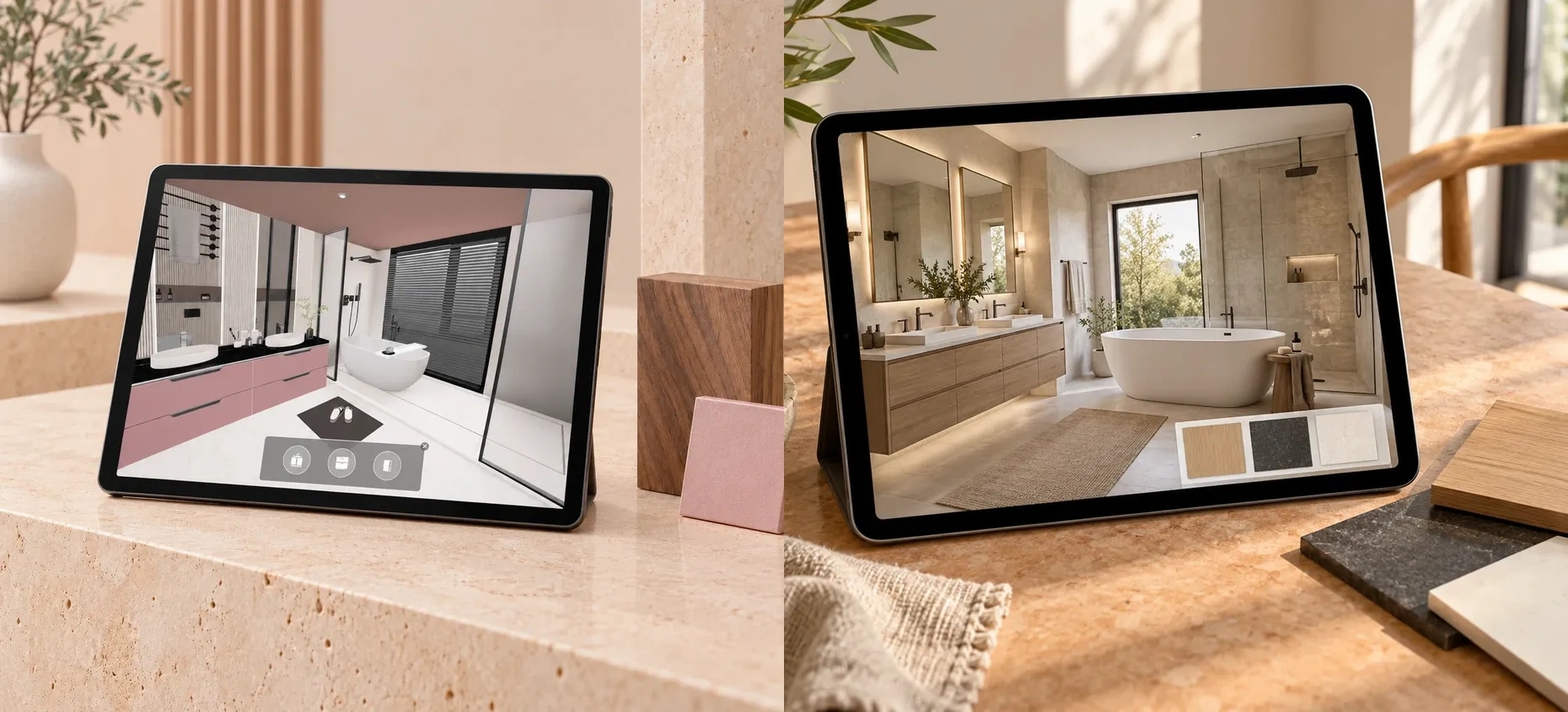
Webbies’ 3D interior visualization project for CenturyPly brings material exploration into a furnished digital environment. The supplied project reference pairs an office interior with cabinet selection controls and identifies texture customization as a core capability.
Context and Challenge
Material samples are difficult to judge in isolation. CenturyPly needed a digital experience that could show surface choices within a furnished interior and let users explore alternatives.
Solution
Webbies designed a 3D interior visualisation experience around room context and texture customisation. Cabinet-selection controls connect the material choices to elements within the scene, keeping the room visible while users explore finishes.
The Outcome
The resulting interface brings a furnished 3D environment, cabinet selection and surface customisation into one material-exploration experience. The supplied portfolio documents this visualisation scope.
The Impact
Seeing a finish alongside furniture and surrounding surfaces gives users more context for design decisions. This is the practical value demonstrated by the experience; purchase uplift and engagement improvements have not been quantified in the supplied evidence.
Features
Interior context for material exploration
The 3D office scene presents furniture and surfaces together in a shared environment. This gives users a room-level view of the design, adding context to the material selection experience.
Texture customization
Texture customization is a stated capability of the project. It connects the design experience with surface finishes, allowing material exploration to become part of the interior presentation. The reference does not show the available texture library or document the exact customization controls.
Cabinet selection within the scene
An interface panel overlays the room preview with three cabinet options. Keeping these controls alongside the scene gives users a visible connection between the interior and the elements available for selection.
Interaction designed to encourage exploration
The project positions user engagement as an objective. A 3D environment and selectable elements create opportunities to explore the design beyond a single static image. No engagement measurements or user research results were supplied.
The experience brings together three design needs:
Context: See furniture and surfaces within a furnished interior.
Choice: Access cabinet selections from controls displayed over the scene.
Customization: Explore textures as part of the design experience.
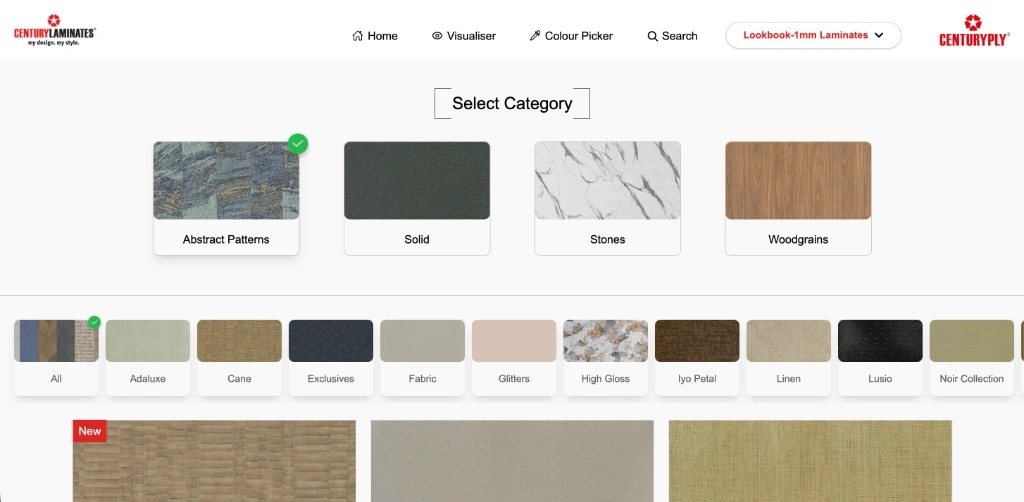
CenturyLaminates material catalogue: category and surface texture exploration interface.
Explore further
Let’s make a start
Tell us what
you have in mind.
Choose a service to start the conversation.
Continue with AI development & generative AI